A position can look fine when you close your laptop and drift toward liquidation while you are asleep, driving, or in a meeting. LiqGuard watches it for you and sends your iPhone a time-sensitive alert when it gets too close.
Add a public wallet address. Set the threshold you care about. That is the whole setup — no wallet connection, no signature, no seed phrase.
Coming soon to the App Store There is no signup, no waitlist, and nothing to enter on this page.
No wallet connection · No private key · No seed phrase · Read-only monitoring · Hyperliquid supported first
You never connect a wallet, sign anything, or grant trading permission. LiqGuard only ever reads data that is already public.
The list puts the wallet closest to liquidation at the top, each row with its distance and a colour band, so a glance tells you which one is in trouble. A paused wallet shows no distance, because nothing is watching it. Name a wallet if you watch more than one. Open it and its positions are ordered worst-first too.
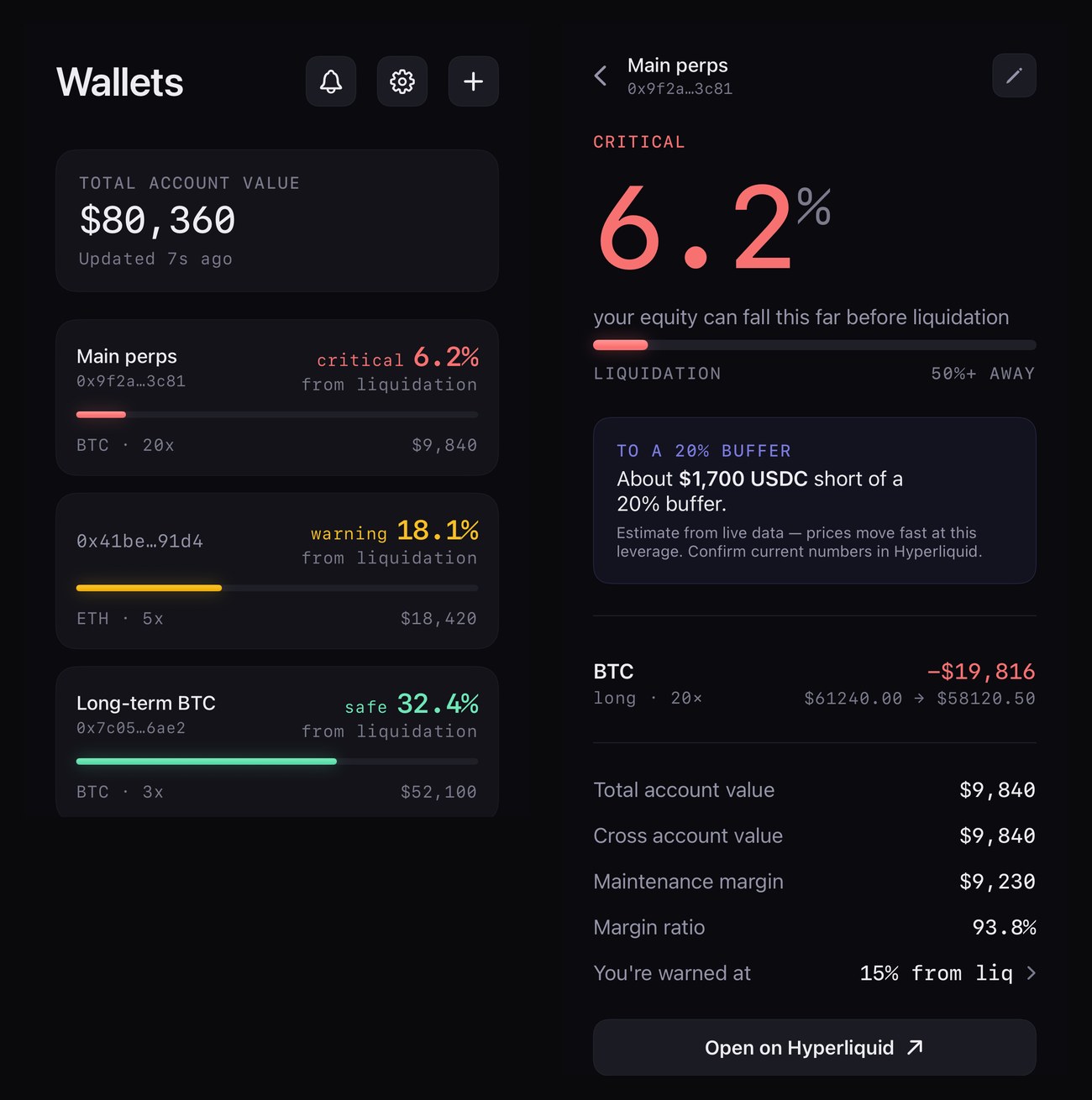
Each row shows how close that wallet is to liquidation. For cross-margin wallets the detail view also estimates the margin that would restore a 20% buffer — an estimate from public data, not advice.
Hyperliquid is currently the only supported perpetual DEX. The app stores which DEX each wallet is watched on, so further venues can be added without changing how it works: add a public address, watch the distance, get alerted. Others may be added over time — none is promised, and support for a venue can change or end.
LiqGuard is read-only, permanently. It never asks for a private key, a seed phrase, or a wallet connection, and it cannot trade, transfer, or sign anything. It reads public on-chain data and sends notifications. That is the entire surface — the app has no code that could move funds even if someone wanted it to.
No account, no email, no password, no name. LiqGuard identifies your device by its push token, stores the public addresses you choose to watch, and reads your subscription status from Apple via RevenueCat to apply free and Pro limits. The free tier shows ads from the app's first App Store release, and section 7 of the Privacy Policy says plainly what that sells and shares and how to turn it off entirely; Pro removes it. Beyond that, your data is shared only with the service providers named in the Privacy Policy — which is the full account, including what is kept after you remove a wallet.
Alerts are best-effort. They depend on the DEX's public data, Apple's push network, and your device's network and notification settings — none of which we control, and any of which can fail or be delayed. Markets move faster than notifications. LiqGuard is a monitoring aid, not a safety net, and not financial advice. Never rely on it as your only protection against liquidation. The Terms set this out in full.
Time-sensitive alerts are designed to break through Focus and Do Not Disturb — but only while you leave Time Sensitive notifications enabled for LiqGuard. Switch them off, or add LiqGuard to a Focus filter, and iOS can silence the alert — and we cannot detect that: the alert leaves our server successfully and simply never reaches you. The app checks what it can and warns you in-app, but a Focus filter is invisible to it. If you rely on these alerts, check Settings → Notifications → LiqGuard occasionally.
Hyperliquid, and currently only Hyperliquid. The app is built so more can be added; none is promised.
No. It needs a public address, which is information anyone can already read on-chain. There is no wallet connection, private key, or seed phrase anywhere in the app.
No, and not by policy — by construction. There is no code in LiqGuard that can place, modify, or cancel an order, sign a transaction, or move an asset.
No. See above — they are best-effort and can be late or lost. Treat LiqGuard as an extra warning layer, never as your only one.
Monitoring stops immediately, and the address is deleted from our live database — though a backup taken beforehand can still contain it. A record that an alert fired is kept, with the address replaced by a keyed fingerprint: without that key it cannot be turned back into an address, and we hold the key, so we can still check an address you give us against a record. That keeps “did the alarm work?” answerable without keeping whose wallet it was. The Privacy Policy is precise about all of this.
Coming soon to the App Store Read-only liquidation-risk alerts for supported perp DEX positions.
Questions, problems, or a deletion request: support@liqguard.app. There is no account system, so if you are asking about specific wallets, include the addresses you added.
Announcements and updates: @liqguard on X. For anything that needs an answer — especially a deletion request — use the email above, not a post or DM.